
Is Your Construction Software Built For the Site?
Construction software can look brilliant in a demonstration. The real test begins when it reaches a live construction site.
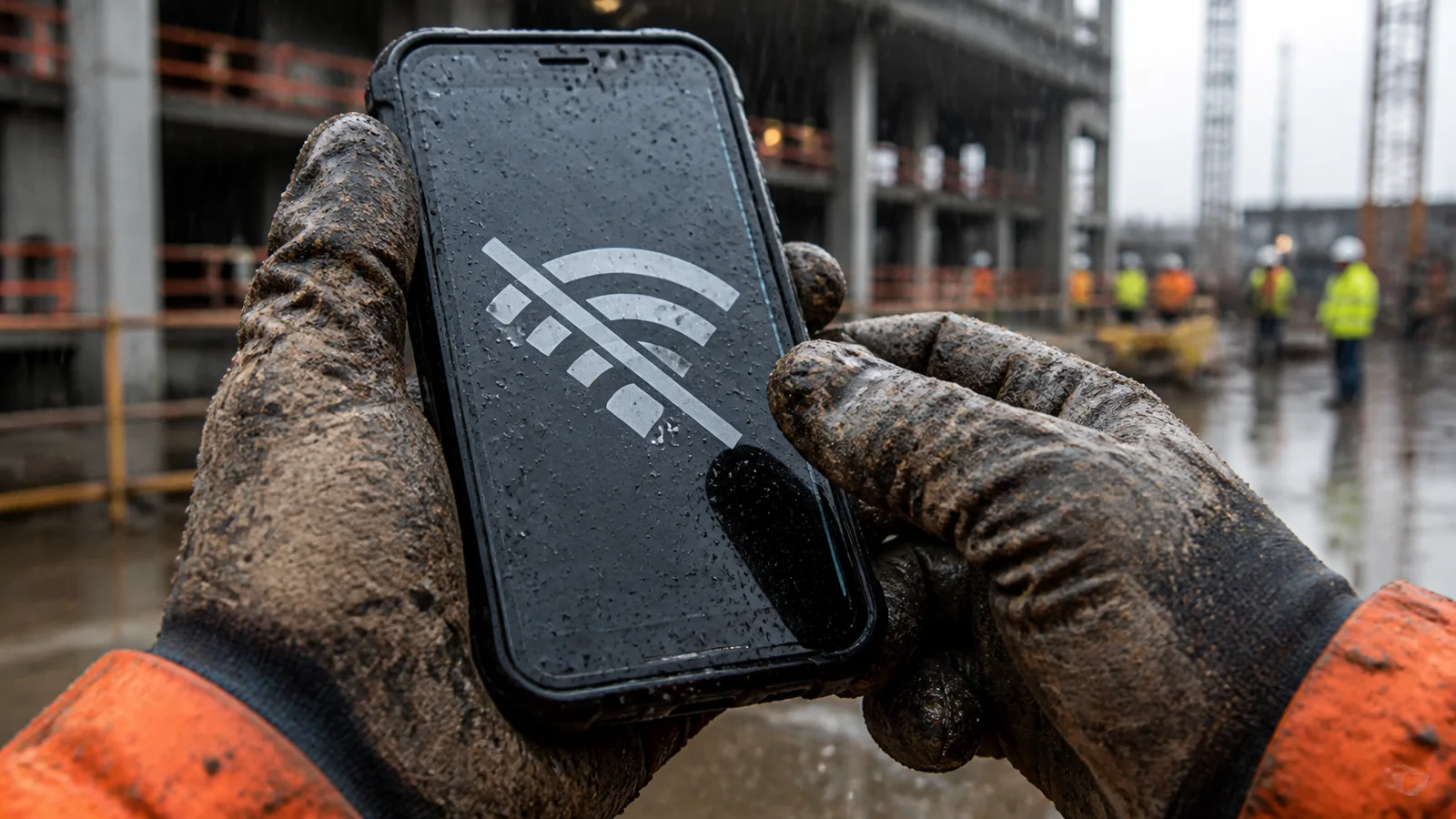
Construction software looks brilliant in a demonstration. The dashboard is clean. The workflow is effortless. Every report is current, every photograph is correctly filed and every user appears to know exactly which button to press.
Then the software reaches a construction site.
The gloves go on. The internet drops out. The drawing changes. A delivery is late. A supervisor has six people waiting and no interest in completing a twelve-field form so somebody in the office can receive a prettier report tomorrow.
Suddenly, software described as “built for construction” starts looking suspiciously like office software wearing a hard hat.
▌ The test of construction software is not how impressive it looks in a demonstration. It is whether people can use it when the project becomes difficult.
SITES DON’T CARE ABOUT SOFTWARE DEMOS
A live construction site is an unforgiving place to test technology. It is noisy, physical and constantly changing. Site teams do not operate under demonstration conditions. Limited connectivity, dirty hands, bright sunlight, incomplete information and competing priorities all affect how—and whether—software is used.
Teams work across buildings, floors, rooms, trades and work fronts. When something goes wrong, the useful window for acting may be measured in minutes, not in the time it takes to return to the office and reconstruct what happened.
Software that ignores those conditions may still produce attractive dashboards. It may even make administration more efficient. But if the people delivering the project cannot or will not use it, is it really construction site software?
THE FEATURE LIST IS NOT THE PRODUCT
Construction platforms often sit at one of two extremes. Some manage so little that their usefulness is limited. Others claim to manage almost everything—drawings, documents, defects, safety, quality, labour, equipment, progress, schedules, costs, reporting and now artificial intelligence.
The result can be an enormous feature list attached to a system the site barely uses, or uses only partially. But having a feature and solving a problem are not the same thing.
Sites change quickly, and so does the information. A wide range of people need to know what is happening now, not after the next report is compiled. Communication once relied heavily on the walkie-talkie. Today, the default is often a WhatsApp group or a similar messaging channel. These tools are fast and familiar, but project information becomes mixed with conversation, separated from formal records and lost when people leave the project.
The alternative is often a report completed when somebody finally has time. By then, the project may have moved on. Work has continued, another trade has entered the area or the same mistake has been repeated elsewhere.
A dashboard is not useful if its source information is already two days old. Artificial intelligence is not useful if it produces a confident answer from incomplete or obsolete project data.
▌ Construction does not need more software features. It needs fewer gaps between what happens on site and what the project believes is happening.
THE CONSTRUCTION-SITE TEST
Before calling any platform construction software, put it through five practical tests.
CAN IT CAPTURE INFORMATION WHERE THE WORK HAPPENS?
If information must first be written down, remembered, messaged or entered again later, the system has already created a delay. Site information should be captured once, with its photographs and context, as close as possible to the moment it is discovered.
DOES IT WORK WHEN CONNECTIVITY DOES NOT?
Basements, remote locations and incomplete services are normal site conditions. If the system stops when the signal disappears, the team will create a workaround—and that workaround will become another uncontrolled source of project information.
CAN THE RIGHT PEOPLE PARTICIPATE?
Projects are delivered by networks of supervisors, engineers, subcontractors, consultants, safety teams, quality teams and client representatives. When licences, complexity or permissions keep the right people outside the system, information inevitably moves into private messages, spreadsheets and email chains.
DOES IT CONNECT INFORMATION TO CONSTRUCTION CONTEXT?
A photograph without a location is just a photograph. A task without an owner is only a reminder. A progress percentage without an activity, work area or acceptance status may hide more than it reveals. Useful information needs to remain connected to the building, floor, room, trade, work item, responsible person, due date and supporting evidence.
DOES IT HELP THE SITE ACT—OR ONLY HELP THE OFFICE REPORT?
Reporting matters, but a report issued after the opportunity to intervene has passed is simply a record of what went wrong. Site software should expose issues, constraints, delayed work and unresolved actions while the outcome can still be changed.
WHAT SITE-FIRST CONSTRUCTION SOFTWARE SHOULD DO
Site-first software should make the correct action easier than the workaround. It should allow people to capture information quickly, connect it to the right project context, assign responsibility and retain the evidence needed to prove what occurred—immediately, without waiting for somebody to rebuild the record later.
That means fewer disconnected records and less reconstruction after the event. A site observation becomes a visible action. A photograph remains connected to its location and work item. A defect carries its responsibility, response and closeout evidence. Progress is captured against the actual project structure instead of becoming a detached percentage in a weekly report.
Most importantly, the same information becomes useful to both the site and the office. The site receives clarity and action. Management receives current evidence and a stronger basis for decisions. Neither side has to create a second version simply to satisfy the other.
HOW PROTRAC APPROACHES THE SITE TEST
ProTrac CMS is built around a straightforward information flow: capture, connect, act and prove. The aim is not to give the site another administrative burden. It is to prevent valuable construction information from becoming delayed, duplicated or separated from the work it describes.
Teams can capture progress, labour, equipment, photographs, defects, safety concerns, design issues and supporting evidence from the field. That information can be connected to the project’s configured structure—including the relevant building, floor, room, trade and work item—so it retains meaning after it leaves the person who recorded it.
Offline capability supports work where connectivity is unreliable. Actions and issues can carry ownership, deadlines, status and evidence. Authorised project participants can work within the same controlled environment, while unlimited-user project pricing removes the argument about whether one more responsible person should have access.
This is the distinction that matters. Construction software should not ask the site to perform more administration so the office can receive a better-looking report.
▌ It should reduce friction on site while improving the quality, speed and reach of project information.
HAS YOUR SOFTWARE PASSED THE SITE TEST?
Forget the demonstration for a moment. Consider what happens on your projects when the connection disappears, a drawing changes, a defect is discovered or a subcontractor needs an immediate answer.
Does your construction software help the team respond? Or does the real work move into phone calls, messages, spreadsheets and memory until somebody has time to update the official system?
Share your experience in the comments—especially the workarounds nobody mentions during software demonstrations:
▌ What is the first thing your construction software stops doing well when it reaches the site?
ProTrac CMS — Construction Management. Simplified.
Explore ProTrac CMS — https://protrac.site/ — or email contact@protrac.site.
#ConstructionSoftware #ConstructionTechnology #ConstructionManagement #ConTech #DigitalConstruction #SiteManagement #ProTracCMS
← Back to all articles