
MODULE 14 · PROJECT INFORMATION
Keep plans and field decisions in the same project context.
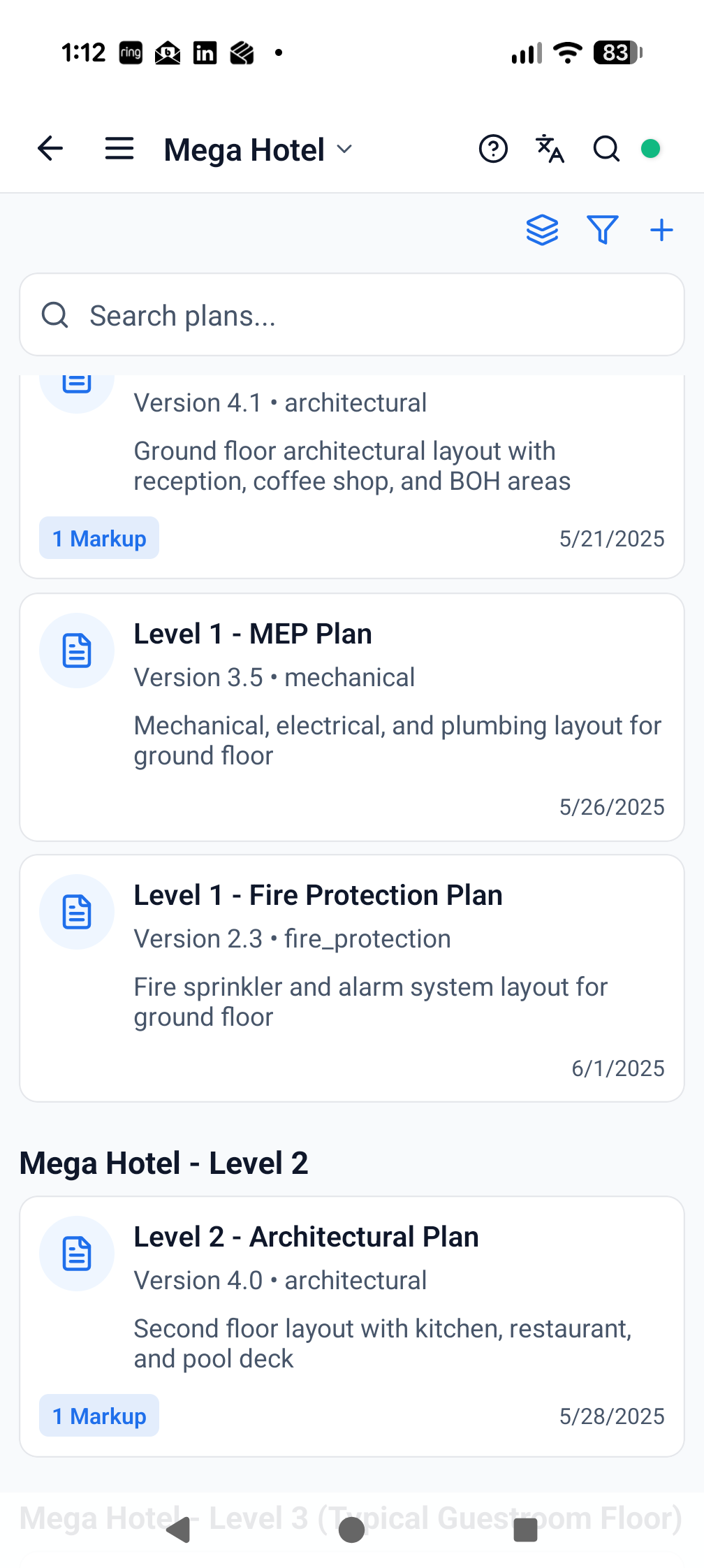
Give authorised teams access to project plans in the same environment as field records and issues.
PROJECT BENEFITKeep the drawing context closer to the work and reduce time lost locating the information needed on site.
FEATURES AND BENEFITS
What Plans adds to the project.
The module is connected to the same live project structure, participants and evidence trail as the rest of ProTrac CMS.
WHAT TEAMS CAN DO
Access project plans from the field and project workspace.
Organise plan information for the relevant project team.
Use plans as context when reviewing design, quality and site issues.
Support authorised access during low or no connectivity conditions.
WHY IT MATTERS
Reduce time spent moving between unrelated systems and folders.
Give issues and decisions clearer drawing context.
Help field teams reach relevant plan information faster.
Keep plans useful alongside the live construction record.
CONNECTED WORKFLOWS
Plans does not sit in isolation.
Move directly to the related modules that use, create or act on the same project information.
Project informationDocuments
Reduce time spent searching and lower the risk of work proceeding from disconnected information.
Explore module →Design coordinationDesign IssuesMove design uncertainty to the right consultant sooner and keep the resulting decision visible.
Explore module →Quality controlQuality AssuranceStandardise quality control, make approvals transparent and reduce avoidable rework.
Explore module →See Plans working on your project.
Start with the complete, fully working seven-day version of ProTrac CMS.