
MODULE 10 · RESOURCE CONTROL
Match project resources to the work that needs them.
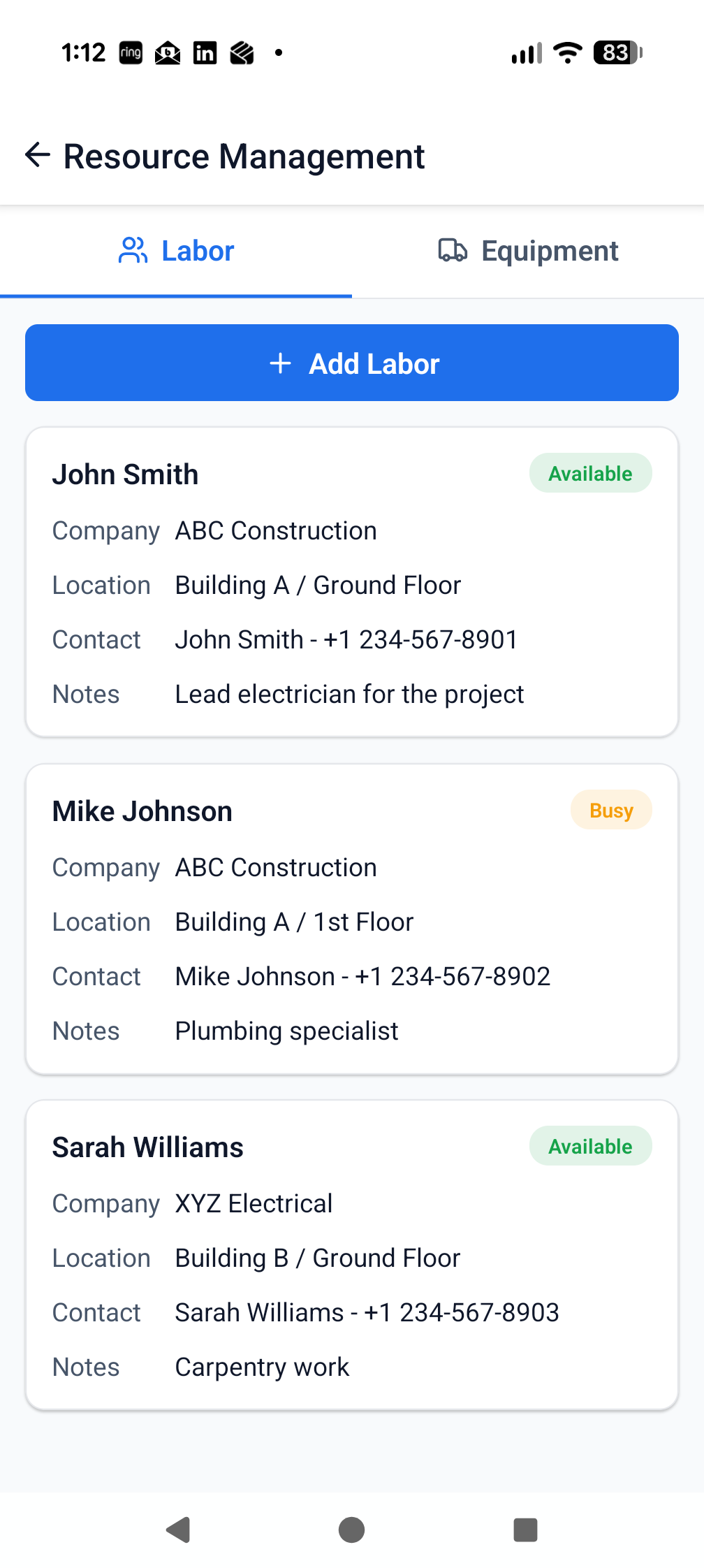
See the people, equipment and project resources supporting planned work across the site.
PROJECT BENEFITImprove allocation decisions and expose resource gaps before they constrain delivery.
FEATURES AND BENEFITS
What Resources adds to the project.
The module is connected to the same live project structure, participants and evidence trail as the rest of ProTrac CMS.
WHAT TEAMS CAN DO
Review project resources against current areas and activities.
Record the resources supporting work as part of the live field record.
Compare resource information with progress and programme needs.
Provide current inputs for project reporting and coordination.
WHY IT MATTERS
Make resource shortages and conflicts visible earlier.
Support better sequencing and workface planning discussions.
Reduce repeated manual collection of labour and equipment information.
Give management a clearer view of how the site is being supported.
CONNECTED WORKFLOWS
Resources does not sit in isolation.
Move directly to the related modules that use, create or act on the same project information.
Programme controlSchedule
Use live field information to identify programme pressure sooner and support faster corrective decisions.
Explore module →Workforce visibilityAttendanceImprove daily workforce visibility and reduce manual attendance consolidation.
Explore module →Field reportingDaily ReportsProduce a structured daily record faster and return supervision time to the field.
Explore module →See Resources working on your project.
Start with the complete, fully working seven-day version of ProTrac CMS.